
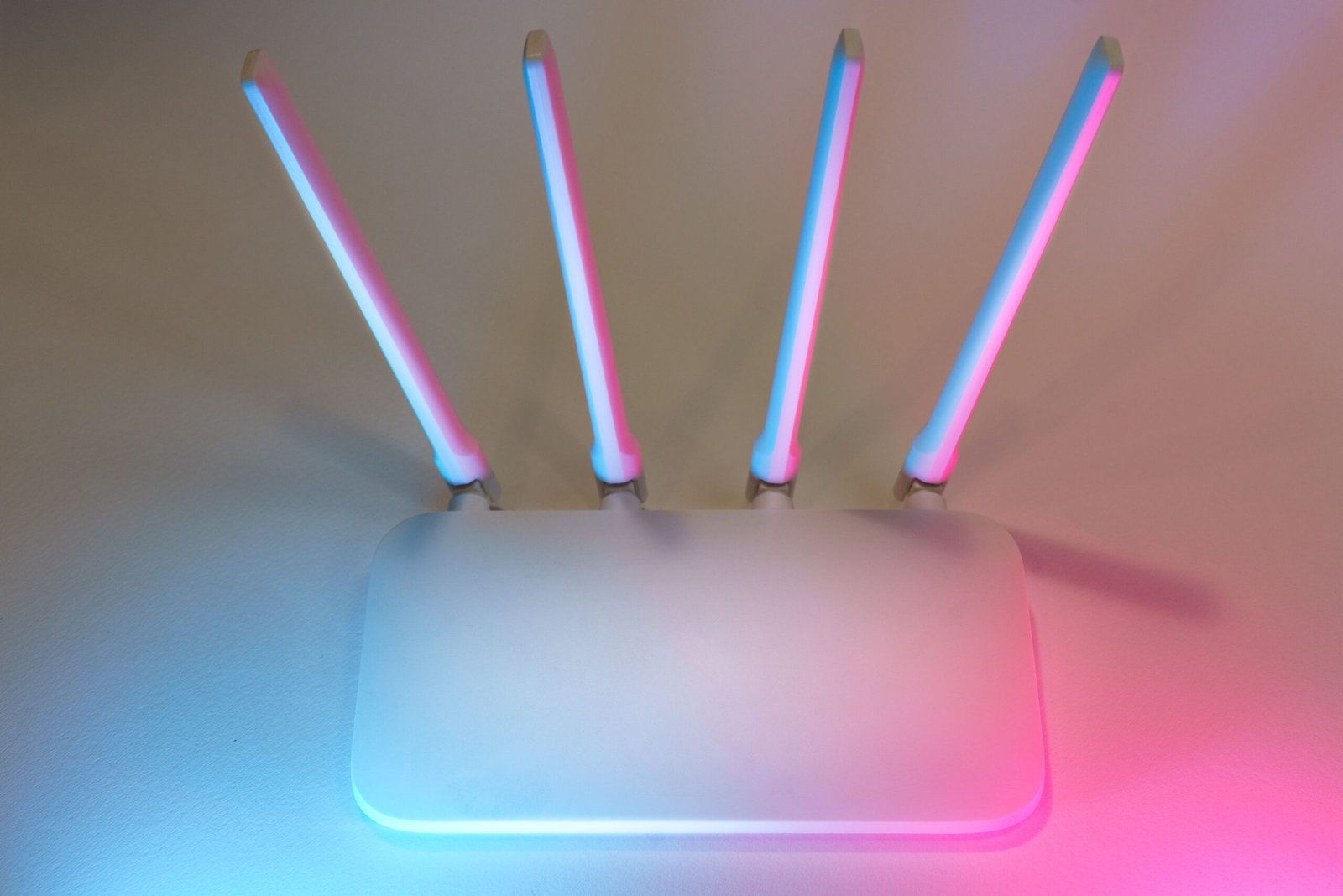
A reliable internet connection has become an essential part of everyday life. Whether you are working from home, attending online classes, streaming movies, playing games, or connecting smart home devices, your Wi-Fi network plays a major role in your experience. Yet many people still struggle with slow speeds, weak signals, and connections that become unreliable when several devices are online at once.
One feature that can help address these problems is a dual band router. You may have seen this term on router packaging or in product descriptions, but what does it actually mean? Is a dual band router faster than a regular router, and is it worth having in your home?
A dual band router supports two Wi-Fi frequency bands: 2.4 GHz and 5 GHz. Each band has different strengths. The 2.4 GHz band generally provides better range and coverage through walls, while the 5 GHz band can deliver higher speeds over shorter distances. Together, they give compatible devices more flexibility when connecting to your network.
In this guide, you will learn what a dual band router is, how both frequencies work, the main benefits and limitations, and how to choose the right band for your devices.
What Is a Dual Band Router?
A dual band router is a wireless router that supports Wi-Fi communication on two frequency bands: 2.4 gigahertz (GHz) and 5 GHz. Many modern dual band routers can operate on both bands simultaneously, allowing compatible devices to connect using the frequency that best suits their needs.
Think of the two bands as separate roads carrying internet data. One road offers better reach, while the other can accommodate faster traffic over a shorter distance. Having both available gives your home network more flexibility than relying on a single frequency.
For example, your smartphone might use the 5 GHz band while you watch a video near the router. Meanwhile, a smart plug in another room could use the 2.4 GHz band because it needs dependable coverage rather than high speeds.
The router manages communication between connected devices and your internet connection. The wireless bands provide different ways for devices to communicate with the router, but they do not create two separate internet subscriptions.
It is also important to understand that a device must support a particular frequency to use it. An older laptop or smart home gadget that supports only 2.4 GHz cannot connect to the 5 GHz band, even if your router offers both.
In short, a dual band router gives compatible devices access to two Wi-Fi frequency options, helping you balance coverage, speed, and network performance.
How Do the 2.4 GHz and 5 GHz Bands Work?
Although both bands carry Wi-Fi data, they behave differently. Understanding these differences makes it easier to decide which band works best for your home.
The 2.4 GHz band
The 2.4 GHz band is known for its relatively long range and ability to travel through walls and other obstacles more effectively than 5 GHz in many everyday environments.
This makes it useful for devices located far from the router or in rooms separated by walls. Smart bulbs, wireless sensors, smart plugs, and other low-bandwidth connected devices often work well on this frequency.
However, the 2.4 GHz band is also widely used by nearby Wi-Fi networks and other household devices. That can create interference and congestion, particularly in apartment buildings or densely populated neighborhoods. Its available channels are also more limited in many regions.
The result is that 2.4 GHz can offer more dependable reach without necessarily providing the fastest connection.
The 5 GHz band
The 5 GHz band generally offers higher potential Wi-Fi speeds and more channel options than 2.4 GHz. It is often a good choice for devices that transfer large amounts of data or need a responsive connection.
Laptops, modern smartphones, gaming consoles, and smart TVs can benefit from 5 GHz when they are within good signal range. It is particularly useful for high-quality video streaming, large downloads, and video calls.
The main trade-off is coverage. A 5 GHz signal usually loses strength more quickly over distance and through walls than a 2.4 GHz signal. If your device is far from the router, the faster band may deliver a weaker connection than the longer-range option.
Neither frequency is automatically best in every situation. The right choice depends on the device, its location, nearby interference, and the speed of your internet service.
Dual Band Router vs. Single Band Router
The main difference between a single band router and a dual band router is the number of Wi-Fi frequency bands they support.
A single band router typically uses the 2.4 GHz band. All compatible wireless devices share that band, which can become crowded when multiple people stream videos, download files, browse websites, and use connected devices simultaneously.
A dual band router adds the 5 GHz option. Compatible devices can use either frequency, reducing the need for every device to compete for wireless capacity on the same band.
Consider a household with two people attending video meetings, a television streaming a film, and several smart home devices running in the background. A dual band router can let the television and laptops use 5 GHz when signal conditions are suitable, while smart home devices remain on 2.4 GHz.
This arrangement can improve the overall Wi-Fi experience, but the improvement depends on the router, connected devices, signal conditions, and internet plan. Simply adding another band does not guarantee that every device will become faster.
Single band routers may still be sufficient for very basic internet use or a small number of devices. For many modern homes, however, dual band is a more flexible option.
What Are the Main Benefits of a Dual Band Router?
A dual band router can improve the way your home network handles different devices and activities. Its main advantage is flexibility rather than a guaranteed increase in internet speed.
1. Better distribution of connected devices
You can place compatible devices on the band that suits their needs. High-bandwidth activities can use 5 GHz, while devices that need greater reach can use 2.4 GHz. This may reduce congestion on a single frequency.
2. Faster potential wireless performance
The 5 GHz band can provide higher data rates than 2.4 GHz when the router and device support suitable Wi-Fi standards and channel configurations. This can help with large downloads, streaming, and file transfers.
3. More flexible coverage
The 2.4 GHz band can help maintain connections in areas where a 5 GHz signal is weak. Having both options is useful when devices are spread across several rooms.
4. Support for different kinds of devices
Some older electronics and smart home products work only with 2.4 GHz, while many newer laptops and phones support both bands. A dual band router accommodates a wider range of equipment.
5. A better experience in busy households
When multiple people use the network at the same time, spreading compatible devices across two bands may improve consistency. The extent of the benefit depends on how much wireless capacity your router provides and how your devices use it.
6. Greater flexibility for everyday activities
You can use 5 GHz for activities that benefit from higher throughput and 2.4 GHz for devices that need broader coverage. Some routers manage this choice automatically, reducing the need for manual adjustments.
These advantages make dual band routers a practical choice for many households, although good placement, suitable hardware, and a reliable internet connection remain important.
Which Wi-Fi Band Should You Use for Different Devices?
Choosing the right band can help you get more out of your router. Start by considering how much speed a device needs and how far it is from the router.
| Device or activity | Recommended band | Reason |
|---|---|---|
| Smart bulbs and smart plugs | 2.4 GHz | Often supports these devices and offers broader reach |
| Devices in distant rooms | 2.4 GHz | Usually maintains coverage better through obstacles |
| Laptop near the router | 5 GHz | Can provide higher wireless throughput |
| HD or 4K streaming | 5 GHz | Suitable for high-bandwidth streaming when the signal is strong |
| Online gaming | 5 GHz | Can provide good throughput and responsiveness nearby |
| Video calls | 5 GHz or 2.4 GHz | Choose the band with the more stable connection |
| Older Wi-Fi equipment | 2.4 GHz | Some older devices do not support 5 GHz |
These are general recommendations, not fixed rules. A device connected to a strong 2.4 GHz signal may perform better than one connected to a weak 5 GHz signal.
For online gaming, remember that Wi-Fi frequency is only one part of the experience. Internet latency, router quality, network congestion, and the game server also matter. A wired Ethernet connection can be a useful option for stationary devices that need consistent performance.
Many routers use a feature called band steering or Smart Connect. When enabled, the router presents one network name and attempts to guide compatible devices to an appropriate band. Other routers allow you to use separate names for the 2.4 GHz and 5 GHz networks so you can choose manually.
If a smart home device refuses to connect during setup, check its specifications. It may require your phone to connect to the router’s 2.4 GHz network temporarily.
Does a Dual Band Router Make Your Internet Faster?
A dual band router can improve wireless performance, but it does not automatically increase the speed supplied by your internet service provider.
Your internet speed is influenced by your subscription, modem or internet gateway, router capabilities, connected device, signal strength, and network conditions. If your internet plan provides a certain maximum download speed, buying a dual band router does not increase that plan’s limit.
What it can do is help compatible devices make better use of the available connection. For instance, moving a laptop from a crowded 2.4 GHz network to a strong 5 GHz signal may improve its Wi-Fi throughput. That improvement may reduce buffering or make downloads feel faster when wireless performance was the bottleneck.
On the other hand, 5 GHz may not help if your device is several walls away and receives a weak signal. In that case, 2.4 GHz might deliver a more stable connection, even if its peak speed is lower.
If your Wi-Fi is slow, try these practical steps:
- Place the router in a central, open location rather than inside a cabinet.
- Keep it away from large obstructions and sources of interference where possible.
- Connect nearby, high-bandwidth devices to 5 GHz when it improves performance.
- Use 2.4 GHz for compatible devices that need greater range.
- Update your router firmware when an appropriate update is available.
- Test your internet speed near the router and compare it with performance in distant rooms.
- Consider a mesh Wi-Fi system or an access point if the problem is poor coverage across a large home.
A dual band router is most helpful when its capabilities match your internet plan, devices, and home layout.
How to Choose the Right Dual Band Router
When shopping for a dual band router, do not focus on the words “dual band” alone. Compare the features that determine how well a model will serve your household.
Check the Wi-Fi standard. Wi-Fi 5, Wi-Fi 6, and Wi-Fi 7 routers differ in their supported features and potential performance. Your devices must support compatible features to benefit from them. A newer standard may be worthwhile if you plan to keep the router for several years.
Consider your internet speed. Choose a router with enough capacity for your broadband plan and typical network activity. The advertised wireless rate is not the same as the speed one device will achieve in normal use.
Think about your home size. A capable router may cover a small apartment or house well, but thick walls, multiple floors, and long distances can reduce coverage. Larger homes may benefit more from a mesh system or strategically placed access points than from a more powerful single router alone.
Count your connected devices. Phones, computers, televisions, cameras, and smart home products all contribute to network demand. If many devices are active at once, look at the router’s overall capacity and features rather than judging it by frequency bands alone.
Review security and updates. Choose a router that supports modern security features, including WPA2 or WPA3 as appropriate for your devices, and check that the manufacturer provides firmware updates. Use a strong Wi-Fi password and change default administrator credentials.
Check the network management features. A simple setup app, guest network, parental controls, and band steering may make a router easier to manage. If you have devices that require manual band selection, make sure the router gives you enough control.
The best dual band router is not necessarily the most expensive model. It is the one that meets your speed, coverage, security, and device requirements without paying for features you do not need.
Frequently Asked Questions About Dual Band Routers
Is a dual band router worth it?
For most households, yes. It offers both longer-range 2.4 GHz Wi-Fi and the higher speed potential of 5 GHz. This flexibility is useful when several people and devices share the same network.
Can all devices connect to both bands?
No. A device must support the frequency it uses. Some older devices and smart home products work only with 2.4 GHz, while many newer devices support both 2.4 GHz and 5 GHz.
Do I need two Wi-Fi passwords?
Not necessarily. Some routers show separate network names for each band, while others combine the bands under one name and manage connections automatically. Your router’s settings determine which setup is available.
Is dual band better than tri-band?
Dual band is sufficient for many homes. Tri-band adds another wireless band, which may provide additional capacity for demanding networks. The exact configuration varies by router and Wi-Fi standard, so compare the specifications before buying.
Does 5 GHz always provide better Wi-Fi?
No. It generally offers higher potential speeds but has a shorter effective range than 2.4 GHz in many environments. Distance, walls, interference, and device compatibility can make 2.4 GHz the better option in certain rooms.
Can a dual band router improve Wi-Fi coverage?
It provides a longer-range band and a faster band, giving devices more connection options. However, it does not automatically eliminate dead zones. Router placement, building materials, and the layout of your home still affect coverage.
Final Thoughts
A dual band router supports Wi-Fi on both 2.4 GHz and 5 GHz, giving compatible devices a choice between broader coverage and higher potential speeds. The 2.4 GHz band is generally better for reaching distant rooms and supporting many smart home devices, while 5 GHz is often ideal for streaming, downloads, gaming, and other high-bandwidth activities when the signal is strong.
For most modern households, dual band is a useful feature because it provides more flexibility than a single-band router. However, the router itself is only one part of your network. Your internet plan, device compatibility, home layout, and router placement all influence real-world performance.
Before upgrading, identify what is causing your current Wi-Fi problems. If the issue is congestion, a dual band router may help. If the problem is weak coverage across multiple floors, a mesh Wi-Fi system or additional access point may be more effective. Choosing equipment that fits your actual needs is the best way to build a reliable home network.












Leave a Reply